
Download AutoHideMouseCursor – hide mouse cursor, auto hide cursor, cursor hide tool, mouse cursor utility, lightweight cursor tool, Windows productivity tool
Overview
AutoHideMouseCursor is a lightweight Windows application designed to automatically hide the mouse cursor after a user-defined period of inactivity. Its primary purpose is to reduce visual clutter on the screen, especially during tasks that require uninterrupted focus—such as graphic design, video editing, presentations, or media consumption. By eliminating the constant presence of a static cursor, the app enhances visual clarity and supports a more immersive experience.
The target users include professionals, students, content creators, and anyone who values a clean and distraction-free digital workspace. The developer, AutoHideMouseCursor, has focused on delivering a minimal yet effective solution that prioritizes system efficiency and ease of use. Although the developer did not provide additional technical details about their background, the app’s design reflects a clear commitment to simplicity and performance.
Real-world use cases include using the app during live presentations, editing high-resolution images, or watching films without cursor interference. In the broader context of the Windows productivity ecosystem, AutoHideMouseCursor fills a niche by offering a specialized utility that complements larger software suites without adding overhead. Its free availability and minimal footprint make it an accessible tool for users across different hardware configurations.
Key Features & Functionality
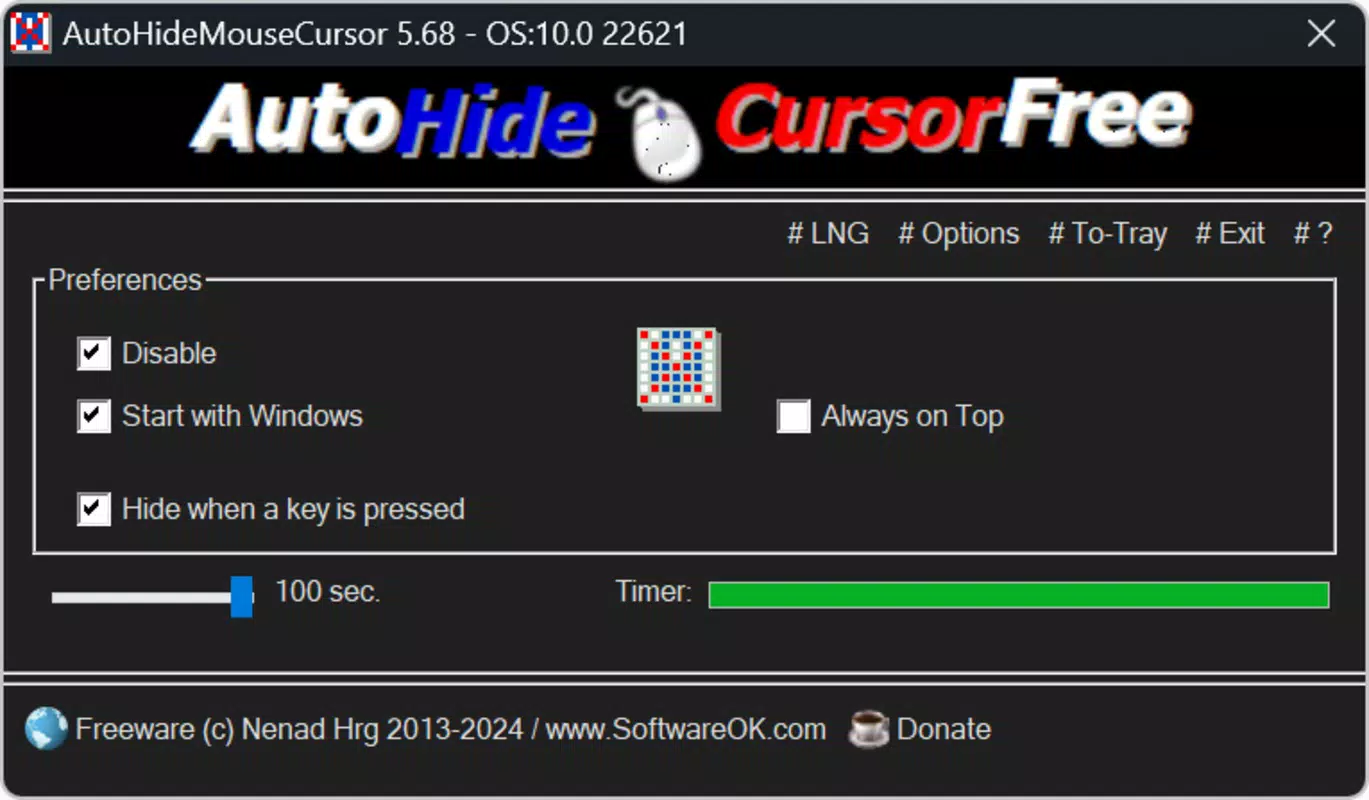
- Customizable Timeout Settings: Users can set the cursor to hide after a defined inactivity period, ranging from 2 to 100 seconds. This flexibility allows users to adapt the app to their workflow—shorter intervals for presentations, longer ones for detailed editing.
- Lightweight Design: At just 140 KB, the application consumes negligible system resources, ensuring it runs smoothly on older or low-spec devices without impacting performance.
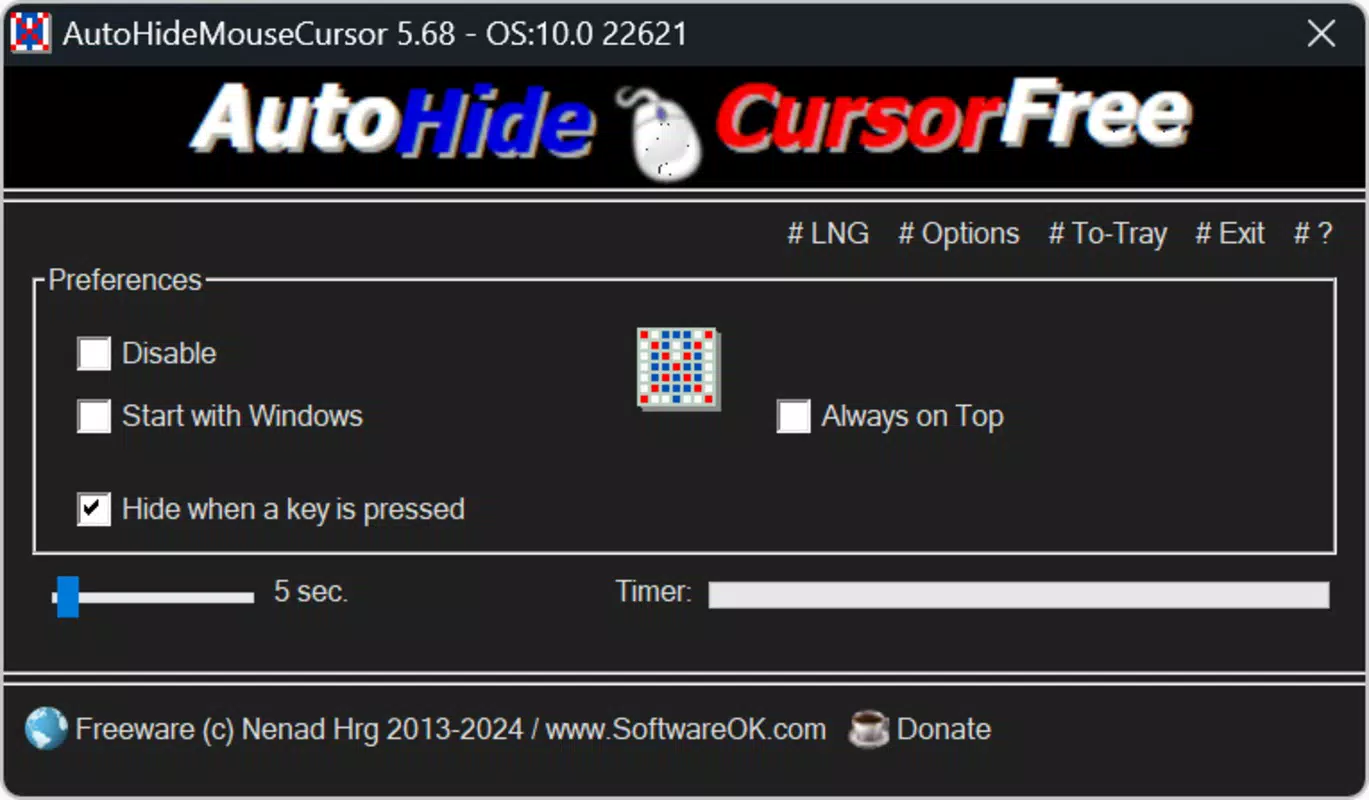
- User-Friendly Interface: All settings are consolidated in a single, intuitive window. A slider controls the timeout, while toggle options allow temporary disable and startup auto-launch configuration.
- Timer Visibility: A countdown bar displays the remaining time before the cursor hides, giving users real-time feedback and a sense of control over the process.
- Minimal System Impact: The app runs in the background without requiring high CPU or memory usage, making it suitable for continuous use during long work sessions.
For example, a presenter can set a 5-second timeout to keep the cursor out of view during slides, while a digital artist might prefer a 30-second delay to avoid interrupting their workflow. The timer bar provides a visual cue, helping users anticipate when the cursor will disappear. This feature is especially useful for users who rely on precise timing or need to maintain focus during extended tasks.
Interface, UX & Performance
The interface of AutoHideMouseCursor is clean and minimal, with a single window housing all configuration options. The layout is logically organized, placing the timeout slider at the center, flanked by toggle switches for temporary disable and auto-launch. Navigation is straightforward, requiring no learning curve—users can adjust settings and exit the app in seconds.
The visual style is plain but functional, avoiding unnecessary graphics or animations that could distract from the core purpose. Although the developer did not list formal performance metrics, the app’s small size and background operation suggest efficient resource usage. It runs silently without causing lag or crashes, even on systems with limited RAM or older processors.
Responsiveness is consistent—adjustments to the timeout setting take effect immediately. Stability appears reliable, as the app does not interfere with other running programs. The timer bar updates smoothly, providing a real-time countdown that enhances user awareness.
While specific compatibility details were not disclosed, the lightweight nature of the application indicates broad compatibility with most Windows environments. The app is designed to be unobtrusive, ensuring it enhances rather than disrupts the user experience.
Platform Compatibility & Technical Requirements
AutoHideMouseCursor is designed exclusively for the Windows platform. The current version is 1.0.1, with a file size of 140 KB. The developer did not specify minimum OS requirements or compatibility details beyond the platform.
It is not available for Android, iOS, or other operating systems. Given its small size and focus on core functionality, the app is likely compatible with a wide range of Windows versions, including Windows 7 and later. However, specific system requirements were not listed.
Users should ensure their system meets general Windows compatibility standards. The app does not require installation—users can run it directly from the executable file. The free price point makes it accessible to all users, regardless of device specifications.
Pros and Cons
Pros
- Extremely lightweight at only 140 KB
- Free to download and use
- Simple, intuitive interface with immediate access to settings
- Customizable timeout duration from 2 to 100 seconds
- Timer bar provides real-time feedback on countdown
- Runs in the background with minimal performance impact
- Supports auto-launch on system startup
Cons
- Platform limited to Windows only
- Developer did not provide detailed technical specifications
- No mobile or cross-platform availability
- Feature set is narrow and focused on a single function
- No built-in update checker or auto-update functionality
FAQ
Is AutoHideMouseCursor safe to download and use?
Yes, the app is free and available from official sources. Its small size and lack of external dependencies suggest it is secure. Users should download it from trusted websites to ensure integrity.
Can I use AutoHideMouseCursor on older Windows systems?
While specific compatibility details were not provided, the lightweight design suggests it may run on older Windows versions. Users should test it on their system to confirm functionality.
Does AutoHideMouseCursor require installation?
No, the application is portable and can be run directly from the executable file without installation.
How do I adjust the cursor hide delay?
Open the app and use the slider in the main window to set the desired timeout duration between 2 and 100 seconds.
Can I temporarily disable the cursor hiding feature?
Yes, the app includes a toggle switch to temporarily disable the auto-hide function while keeping the settings intact.
Final Thoughts
AutoHideMouseCursor delivers a focused, efficient solution for users seeking a distraction-free screen experience. Its lightweight design, intuitive interface, and customizable timeout settings make it a valuable tool for professionals, students, and casual users alike. While it serves a single purpose, it does so exceptionally well—without slowing down the system or complicating the workflow.
The inclusion of a visible countdown timer adds a layer of user control that enhances usability. For those who value a clean desktop environment during presentations, media viewing, or creative work, this app offers real utility at no cost. Its minimal footprint and ease of use set it apart from heavier alternatives.
Although it lacks cross-platform support and advanced features, its simplicity is its strength. If you're looking for a reliable way to hide your mouse cursor automatically on Windows, this tool is a smart, secure, and effective choice.
Download AutoHideMouseCursor now


